A to-do list app for iPhone and iPad with widgets, alarms and no subscription
Alcove is a to-do list and notes app for iPhone and iPad that also runs on the Mac. Add tasks in plain words, tick them off from widgets, get reminders that can ring like an alarm on iOS 26, plan on a calendar or a board, and keep notes that do the maths. It's free for 14 days, then $29.99 once for iPhone, iPad and Mac, with no subscription.
Alcove started as a Mac menu bar app, but most of the day happens on a phone. The iPhone and iPad apps carry the same tasks, notes and boards, kept in step by your own iCloud, and they're built to be quick: open, add, tick, done.
Add tasks the way you'd say them
Type "Call mum Friday 6pm" or "Stand-up every weekday 9:30 15m /Work" and Alcove picks out the day, the time, the length, the repeat and the list as you type. Press Return to add it and start the next one, so a list of five takes seconds.
Or don't type at all: open Speak tasks, say everything on your mind, and watch it turn into separate tasks. See speaking your to-do list.
Widgets you can tick
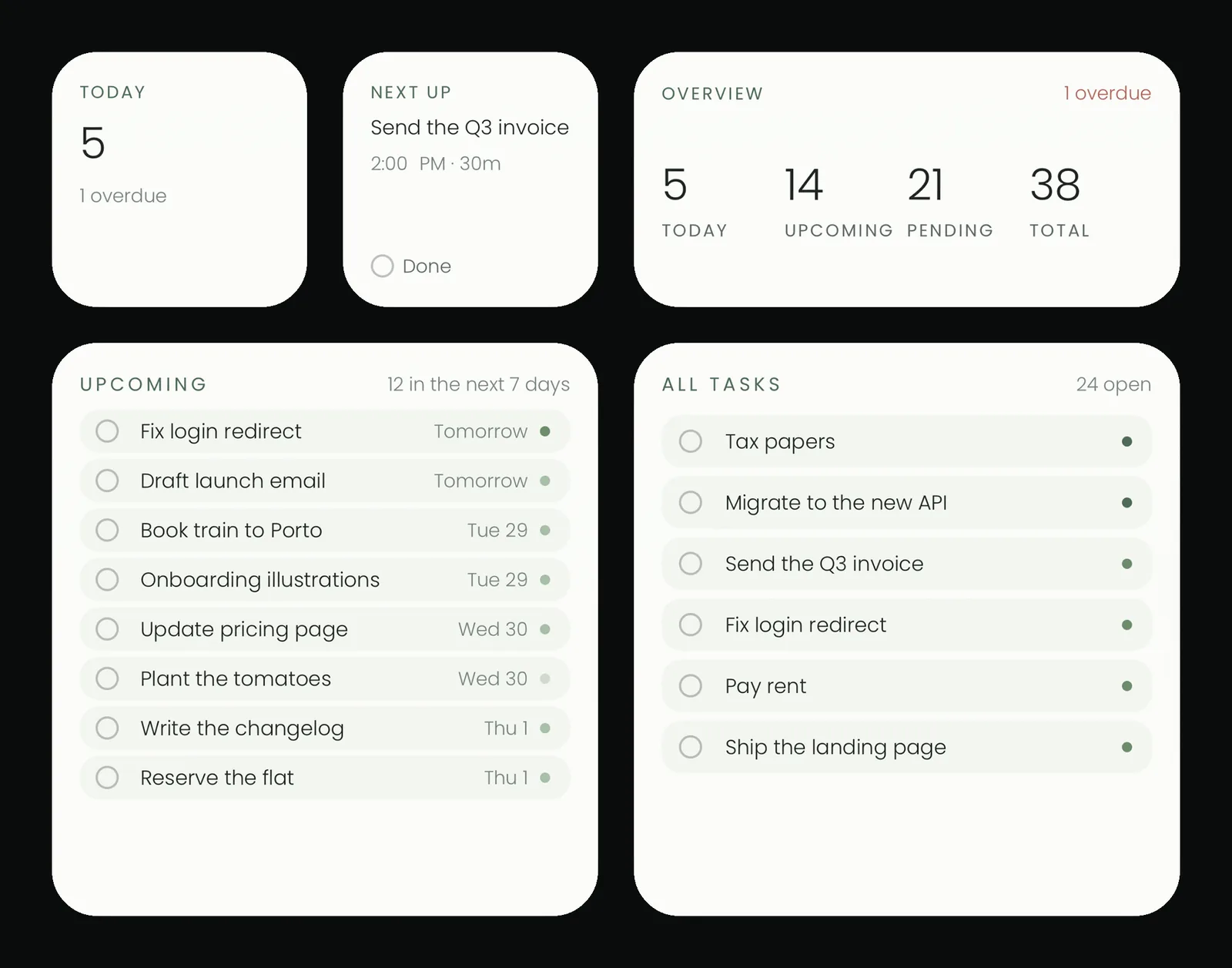
Alcove's widgets show today's tasks on the Home Screen and Lock Screen, and on the Home Screen you can tick them off without opening the app. Controls for Control Center and the Lock Screen keep Alcove one press away. See widgets for your to-do list.
Reminders as loud as the task
Each reminder can be quiet, a notification, or an alarm. On iPhone with iOS 26, an alarm rings through silent mode and Focus, with Stop and Snooze, for the things that can't slip. See making a reminder ring like an alarm.
Plan your day and week
- Today and Upcoming for what's due now and next.
- A calendar with Day, Week and Month views and an hour grid. Drag a task to a new time or day. See time blocking.
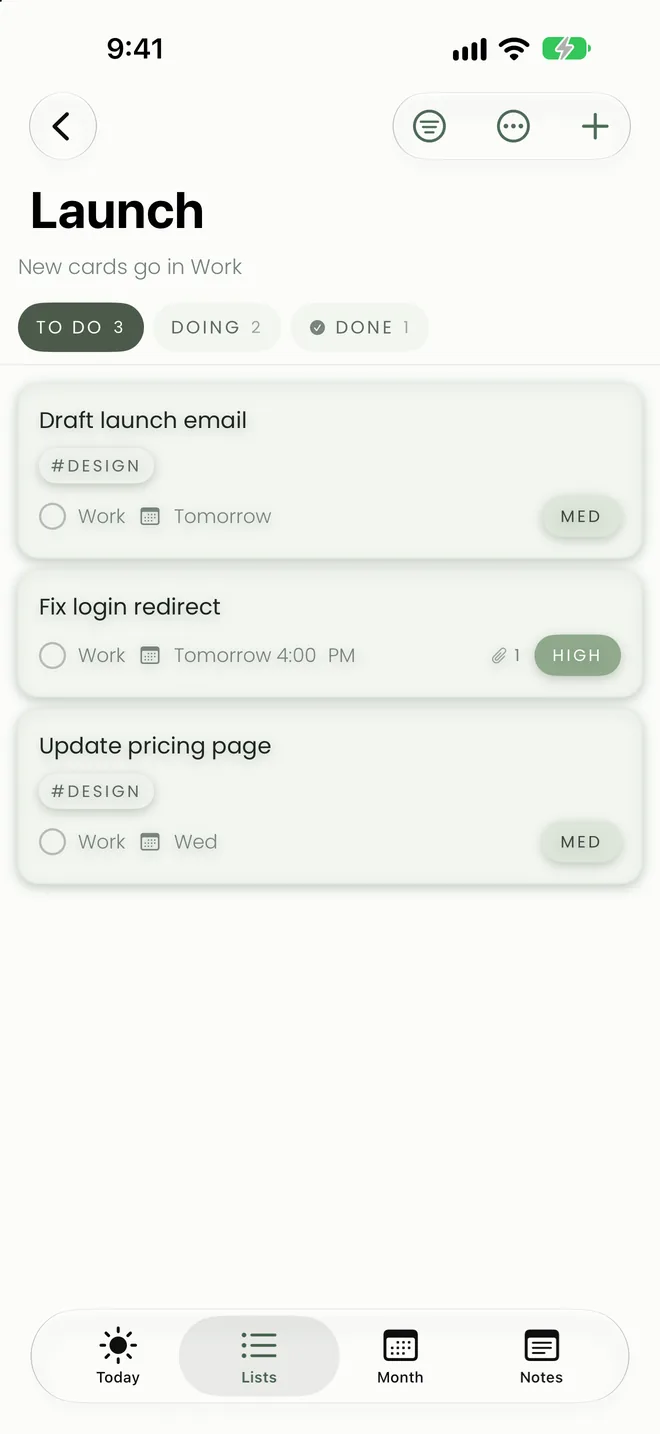
- Boards with To do, Doing and Done, where a card dropped in Done is finished everywhere. See a personal kanban board.
- Repeating tasks for any rhythm. See repeating tasks.
Notes that do the maths
Headings, checklists, code, quotes and tables, written with Markdown shortcuts. End a line with = for the answer, and tables add up their own totals. Paste a picture or a file straight in. See notes that do the maths.
Siri and Shortcuts
Ask Siri to add a task, read out your day or take a note, and build your own automations with Shortcuts actions. See every Siri phrase that works.
On iPad, too
The iPad app has a sidebar of every list, board and note, the hour grid at full size, and keyboard shortcuts with a hardware keyboard. See keyboard shortcuts.
Private, and paid once
No account to create, no ads and no tracking. Your tasks, notes and attachments live on your devices and in your own iCloud. Try everything free for 14 days, then $29.99 once unlocks iPhone, iPad and Mac for good, and Family Sharing includes your family.
Questions people ask
Is Alcove free on iPhone?
Alcove is free to download and free to try for 14 days, starting whenever you're ready. After that, one purchase of $29.99 in the US unlocks it on iPhone, iPad and Mac, with Family Sharing. If you don't unlock, your tasks and notes stay readable and exportable.
Which iPhones does Alcove run on?
Any iPhone or iPad with iOS or iPadOS 17.4 or later. Alarm reminders that ring through silent mode need iOS 26.
Does Alcove sync between iPhone and Mac?
Yes, through your own iCloud, with no Alcove account. Tasks, lists, notes, boards and, from version 1.1, attachments stay in step across your iPhone, iPad and Mac.
Can I add several tasks quickly on iPhone?
Yes. In quick add, press Return to add the task and start the next one, or say everything at once with Speak tasks.
Does Alcove have Lock Screen widgets?
Yes. Alcove has widgets for the Home Screen and Lock Screen, and controls for Control Center and the Lock Screen.